


*Zomdo has no business association with Salior
Report an issue with this product or Salior
- Fast Prime delivery on eligible orders
- Free returns on eligible items
- Secure checkout on Amazon.com
Description
Brand: Salior
Color: Black
Features:
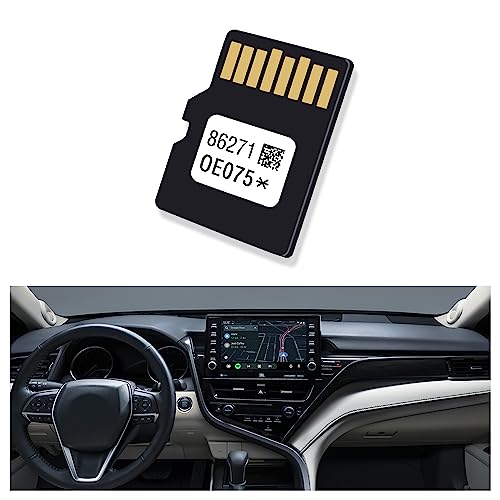
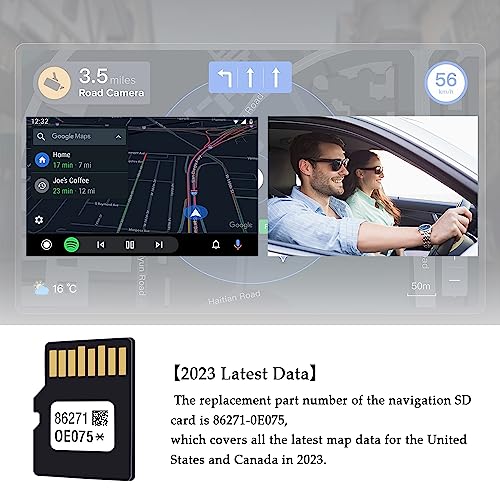
- ⭐ 【Latest Data】 The replacement part number for the Navigation SD card is 86271-0E075, which covers all the latest map data for the US and Canada from 2022-2023. This SD card latest update is for the year prior to May 2022, it was only released as a 2023 update, the data always lags behind the actual calendar year, as you will see, the copyright notice does say 2023.
- ⭐ 【Accurate Aavigation】 A small SD card carries information on hundreds of millions of roads and buildings. Whether you go to tourism, hotels, gas stations, towns, villages, pet store, barber shops and other places, or face the complicated traffic lights and road conditions, it can provide you with a powerful and accurate data flow to help you quickly reach your destination.
- ⭐ 【Premium Chip】 The car GPS navigation system SD card is made of premium chips and 8 pins. It has 32GB of memory and high-speed data processing ability, which is not easily burned or damaged during use. It only supports vehicles using micro SD card for navigation. Before purchasing, please confirm that your navigation system comes with this slot.
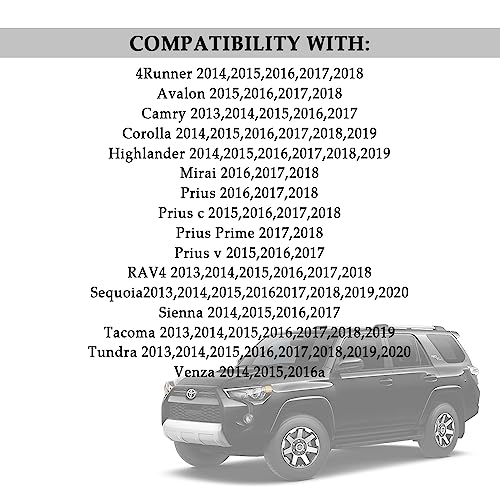
- ⭐ 【Compatible Models】 This GPS navigation SD card is compatible with Toyota 2014-2018 4Runner, 2015-2018 Avalon, 2015-2018 Avalon Hybrid, 2014-2017 Camry, 2015-2017 Sienna, 2014-2018 Tacoma, 2014-2018 Tundra, 2014-2018 Corolla, 2014-2018 Highlander, 2016 -2018 Prius, 2015-2017 Prius v, 2014-2018 Prius c and more. Please refer to the product description page for detailed compatibility models.
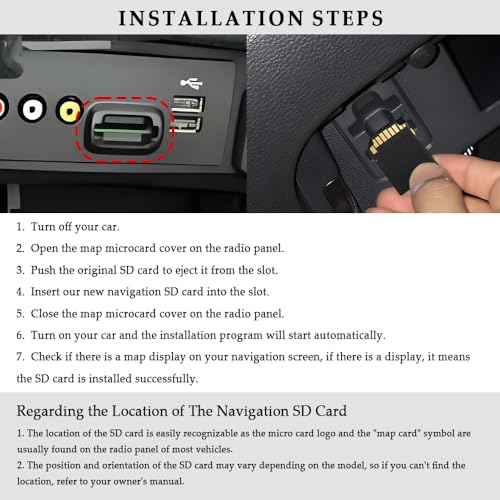
- ⭐ 【Installation Steps】 First turn off your car, then open the map microcard cover on the radio panel, remove the original navigation SD card from the slot, insert our new SD card into the slot, then close the map microcard cover on the radio panel, and finally turn on your car, then the installation program will start automatically.
Details: UPGRADE YOUR CAR IN-DASH NAVIGATION GPS UNITS WITH THE LATEST MICRO SD CARD!
🌟【Navigation SD Card Compatible Car Models】
▨ Replace part number:86271-0E075
▨ Compatible with Toyota
2014-2018 4Runner
2015-2018 Avalon
2015-2018 Avalon Hybrid
2014-2017 Camry
2014-2017 Camry Hybrid
2014-2018 RAV4
2014-2018 Sequoia
2015-2017 Sienna
2014-2018 Tacoma
2014-2018 Tundra
2014-2018 Corolla
2014-2018 Highlander
2016 -2018 Prius
2015-2017 Prius v
2014-2018 Prius c
2017-2018 Prius Prime
2015-2017 Venza
2016-2018 Mirai
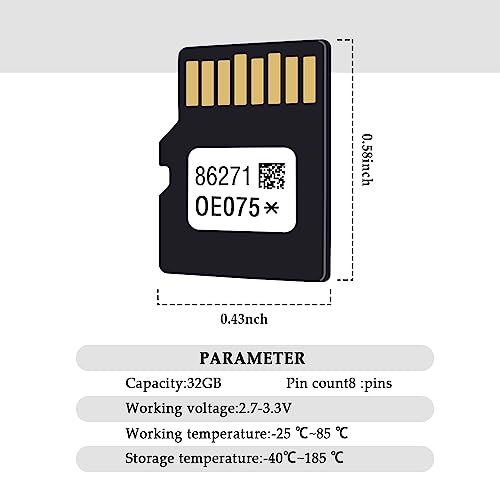
🌟【Navigation SD Card Parameter】
▨ Capacity:32GB
▨ Pin count:8 pins
▨ Working voltage:2.7-3.3V
▨ Working temperature:-25 ℃~85 ℃
▨ Storage temperature:-40 ℃~185 ℃
🌟【Navigation SD Card Attributes】
▨ Colors:Black
▨ Dimensions:15x11x1mm/0.58x0.43x0.04inch
▨ Weight:0.1 oz
▨ Material:Plastics, metals, semiconductors
▨ Packaging:1x Micro SD card
🌟【Navigation SD Card Functions】
▨ Feature:Latest map updates, long service life, and less prone to damage
▨ Function:Used together with the car navigation system, it is safe and not lost
🌟【Navigation SD Card Installation Steps】
1. Turn off your car.
2. Open the map microcard cover on the radio panel.
3. Push the original SD card to eject it from the slot.
4. Insert our new navigation SD card into the slot.
5. Close the map microcard cover on the radio panel.
6. Turn on your car and the installation program will start automatically.
7. Check if there is a map display on your navigation screen, if there is a display, it means the SD card is installed successfully.
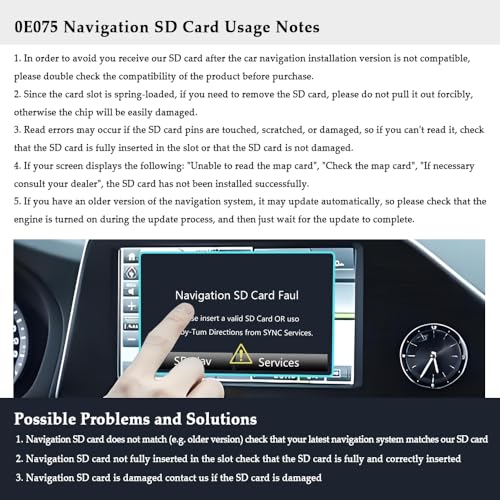
🌟【Navigation SD Card Usage Notes】
▨ In order to avoid you receive our SD card after the car navigation installation version is not compatible, please double check the compatibility of the product before purchase.
▨ The location of the SD card is easily recognizable as the micro card logo and the "map card" symbol are usually found on the radio panel of most vehicles. However, the location of the SD card varies from model to model, so if you can't find the location, refer to your owner's manual.
▨ Since the card slot is spring-loaded, if you need to remove the SD card, please do not pull it out forcibly, otherwise the chip will be easily damaged. If the SD card cannot be read, please check whether the SD card is fully inserted into the slot or whether the SD card is damaged.
▨ If your screen displays the following: "Unable to read the map card", "Check the map card", "If necessary consult your dealer", the SD card has not been installed successfully.
Package Dimensions: 4.2 x 3.1 x 0.5 inches
Binding: Electronics
Part Number: Salior-OE075 SD ka-1505
model number: toyota navigation map update
*Zomdo has no business association with Salior
Report an issue with this product or Salior